Every client site, and the team that runs them, in one workspace
Connect each client site once and operate them all from a single account. Bring your team in under their own logins, give each person only the sites they work on, and set what they may do and spend.
One account above every site
The Workspace at app.wpos.ai is the layer above every site you run: all your connected sites in one list, each with its own context, plus your team, your plan and your credits. The building happens in each site's Command Center; the Workspace is where you manage the fleet.
Bring your team in under their own logins. The owner sees every site; agency managers and operators see only the sites assigned to them, plus sandboxes they create. Nobody but the owner sees a client site until it is assigned.
Members are not billed per seat. Each one spends workspace credits from a budget you set, and asks for more when they run low.
Built for fleets and teams
Every site in one list
Connected sites with when each was added and the credits it has used, searchable once you run more than a handful.
Three roles
Owner, Agency Manager and Operator. Managers run a team of operators; operators do the work on the sites they are given.
Invite by email or link
Choose the role and permissions before they join. Powerful switches, like deleting sites or cancelling the plan, always start off.
Permissions, switch by switch
Up to 25 switches per member across sandboxes, sites, handoff, plan, connectors, support and referrals. Changes apply at once.
Real WordPress logins
Assigning a site gives the member their own WordPress account on it, so their work runs under their name, not a shared login.
Credit budgets
Give each member credits from the workspace pool, take back what they have not spent, and approve their requests for more.
Access requests
A locked control shows Request access. Managers answer their own team; the owner answers the rest.
Analytics
Credits, sites and team activity over time, with a detail view for each site and each member.
From one login to a whole team
-
01
Connect your sites
Install the WPOS plugin on each client site and paste your licence key.
-
02
Invite the team
Add agency managers and operators by email or a one-time link, with their permissions set up front.
-
03
Assign sites and budgets
Give each member the sites they work on, a WordPress login on each, and a credit budget.
-
04
Run and review
Work happens in each site's Command Center; the Workspace shows credits, sites and team activity.
Roles, teams and budgets
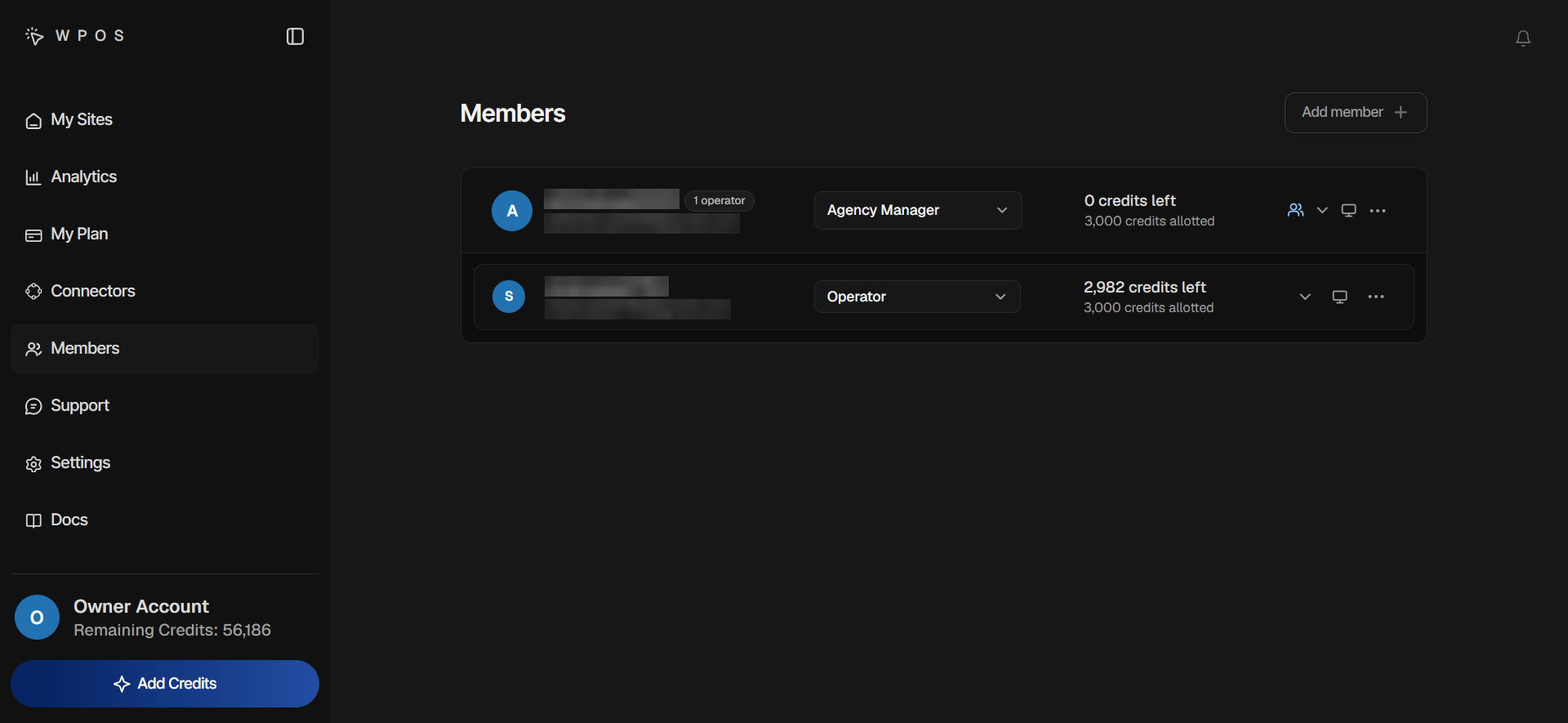
On the Members page each person has a row with their role, their credit budget, a Permissions arrow and an Assign sites icon. A manager’s row shows how many operators report to them and unrolls the team beneath it.
When someone leaves, disable them: their sites are unassigned, unspent credits go back to whoever granted them, a manager’s operators are handed to someone you choose, and a login the workspace created is disabled, not deleted.
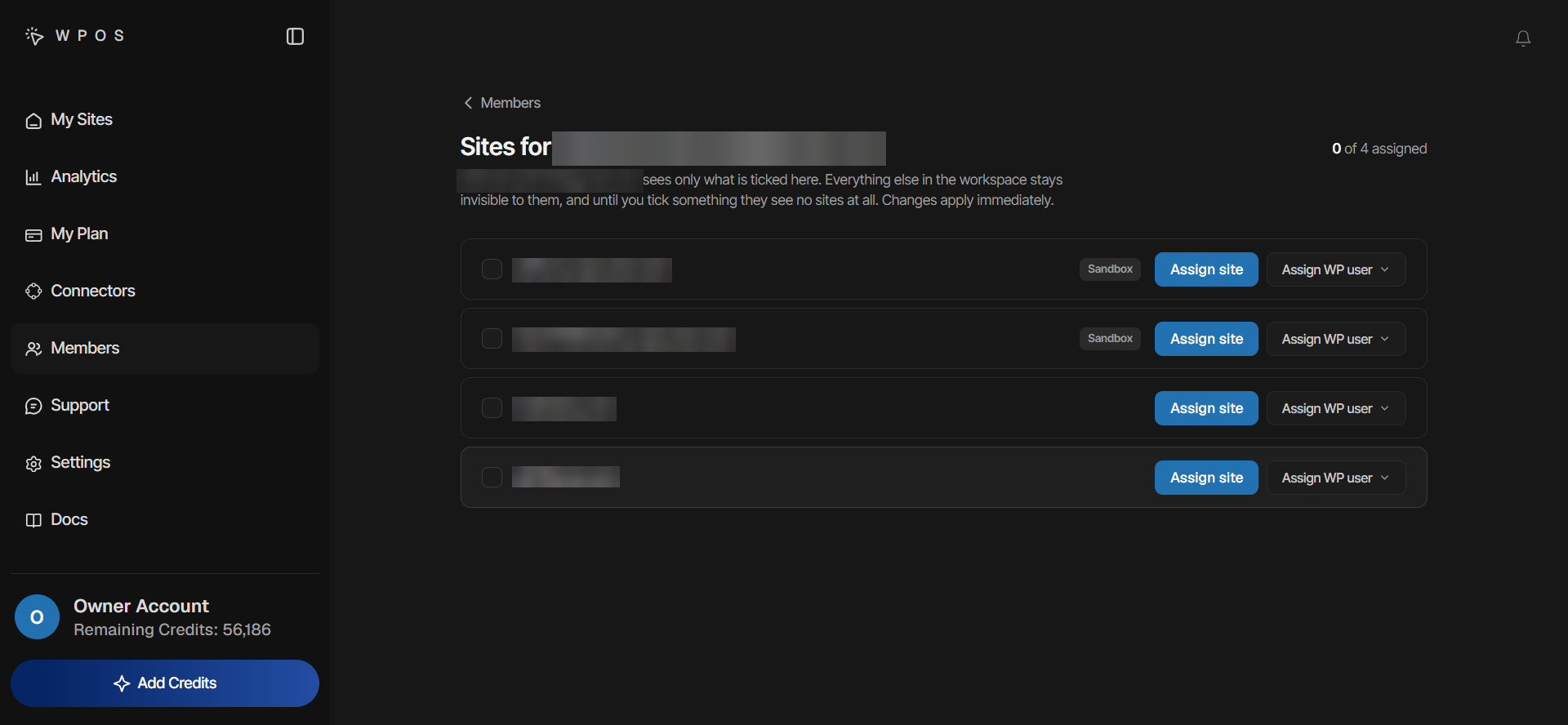
Each member sees only their sites
The Sites for page lists every site you can assign, with sandboxes tagged. Assign a site and choose the member’s WordPress login: an existing account, or a new one with the role you pick, from Subscriber to Editor. Only the owner can create an Administrator.
Unassigning a site takes it back and frees the login. If WPOS set its password, the password is changed, so the old one no longer signs in. For the wider question of running many sites, read how to manage multiple WordPress sites.
Team and permissions, answered.
Roles, logins, budgets, and what each person can see.
Connect each site once with the WPOS plugin and your licence key, and they all appear in the Workspace at app.wpos.ai, each with its own context. You build in each site's Command Center and manage sites, team and credits from the Workspace.
Only the sites assigned to them, plus sandboxes they create. Operators do not see the Members page, and a new member with nothing assigned sees no client sites at all.
No. Members are not billed per seat; they spend workspace credits within the budgets you set. Members is part of the paid plans and does not appear on the Free plan.
No. Assigning a site gives the member their own WordPress account on it, so every person's work runs under their own login. Each member holds one account per site.
Only what they hold themselves, with two exceptions: Add sites and Create sandboxes. Switches they cannot give are greyed out, and switching something off is always allowed.
Disable them from the Members page. They lose access on their next request, their sites are unassigned, unspent credits return to whoever granted them, and a login the workspace created is disabled, not deleted.
Related features and guides:
- Sandboxes and migration WordPress sites on demand, moved anywhere with one key.
- Client handoff Deliver sites with WPOS locked behind your brand.
- Checks, versions and undo Every change checked on the real page, and reversible.
- WPOS for agencies How WPOS runs a client portfolio day to day.
- How to manage multiple WordPress sites Tools, dashboards and what to automate.
- All WPOS features Every feature, grouped by the job it does.
Start free with 15,000 credits.
Three times the usual 5,000, no card needed. Then 50% off your site licences for 2 months with FRIDAY50.
Run every client site from one place.
Connect your sites, bring in the team, and set who sees what. Free for 30 days, 5,000 credits, no card.