Builds in the page builder your site already uses
WPOS works in Gutenberg, Elementor or Divi, whichever the site runs. What the agent builds is native content in that builder, so you, your client or another developer can keep editing it the normal way.
No builder of its own
WPOS does not replace the site's page builder or lock you into one of its own. It works in whatever the site already runs: Gutenberg, Elementor or Divi. What the agent builds lands as native content in that builder, so the site stays editable after you hand it over.
Set the preferred builder once in Settings and the agent builds that way from the next chat. On a Divi site, say in the chat that you want the page built in Divi.
Sections built from the builder's own blocks, containers and modules stay editable even without WPOS. Sections you turn into WPOS widgets need the WPOS plugin to render, so keep it active on sites that use them.
Native in every builder
Gutenberg
Core blocks such as cover, columns, quote and group, with any page-specific styling kept in a snippet scoped to that page.
Elementor
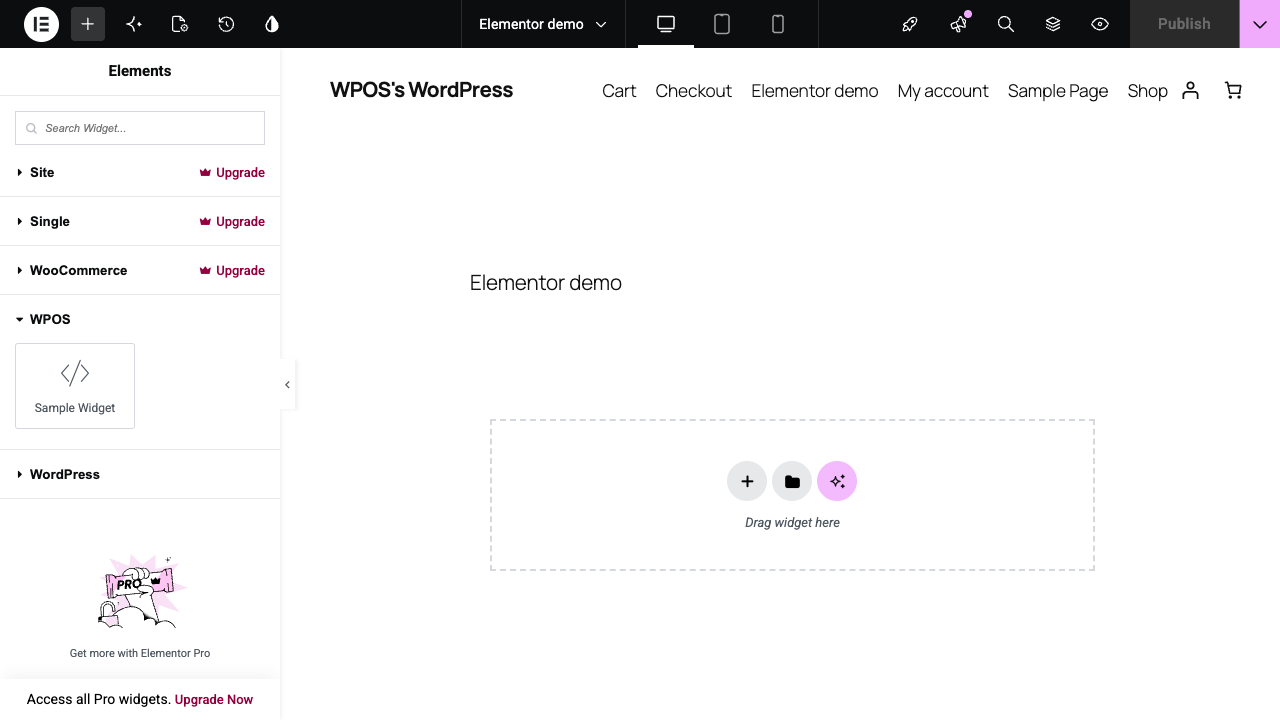
Real Elementor containers you open and edit in the Elementor editor, on your own theme, with images in your own media library.
Divi 4 and 5
A page assembled from a design's own code, or rebuilt in native Divi modules you edit module by module.
One widget, every builder
WPOS widgets register as Gutenberg blocks, Elementor widgets and Divi modules, under a WPOS category, with the same output in each.
Wireframes first
Ask for a wireframe and get a greyscale layout on a real page, responsive, to agree the structure before any design.
Page by page
Get the homepage right, then carry its look to the next page. Each page goes faster because the look is settled.
Full Width template
A builder-independent template with no theme header or footer, for landing pages on any site.
A safety copy before rewrites
Elementor keeps no WordPress revision for layouts saved this way, so WPOS keeps copies of a page's recent layouts and a bad edit can be rolled back.
From layout to handover
-
01
Set the builder
In Settings, under Preferences, choose Gutenberg or Elementor. On Divi, say so in the chat.
-
02
Agree the layout
Start from a wireframe or a reference link, and move sections around in plain language.
-
03
Build and refine
Click an element in the live preview and ask for the change. WPOS edits it at the source and checks the page before it reports back.
-
04
Hand it over
The pages stay editable in their builder, so the client keeps working the way they already know.
One widget, in every builder
When a section should be reused, or edited by someone who does not touch markup, ask WPOS to make it a widget. A services grid, for example, can become a widget with a repeater, so services are added, reordered and edited from fields instead of code.
The same widget then appears in the Gutenberg block inserter and Patterns panel, in the Elementor widget panel with no compatibility warning, and as a module in the Divi Builder on Divi 4 and Divi 5. Widgets and themes also live as files you can read and edit; see widgets, themes and files. For Elementor sites built as code, the open-source Elementor Ultra compiles JSX to native Elementor V4 pages.
Page builders, answered.
Which builders WPOS works in, and what stays editable after handoff.
No. It builds inside the builder the site already uses: Gutenberg, Elementor or Divi. There is no WPOS builder to lock you in, and pages stay editable in their builder after handoff.
Yes. Gutenberg pages are core blocks, Elementor pages are real containers and Divi pages can be native modules, all editable the normal way. Sections built as WPOS widgets are edited from their fields and need the WPOS plugin active.
Divi 4 and Divi 5. WPOS widgets are registered as Divi modules on both and render the same HTML on each.
In Settings, under Preferences, set Preferred page builder to Gutenberg or Elementor. It takes effect from the next chat. On a Divi site, ask for Divi in the chat.
Yes. WPOS widgets can be built as native Elementor V4 elements, an opt-in setting, and on Elementor sites WPOS builds real containers you edit in the Elementor editor.
The first 30 days are free with 5,000 credits and no card. After that it is $25 per site per month, dropping to $19.50 per site at 100 or more sites, with credits bought pay-as-you-go.
Related features and guides:
- Design System Your brand, read from the live site and kept on every page.
- Widgets, themes and files Reusable widgets and themes as files you can edit.
- Checks, versions and undo Every change checked on the real page, and reversible.
- Elementor sites Native Elementor pages built by AI, still editable by hand.
- How to create a landing page in WordPress Block editor, Elementor or a plugin.
- All WPOS features Every feature, grouped by the job it does.
Start free with 15,000 credits.
Three times the usual 5,000, no card needed. Then 50% off your site licences for 2 months with FRIDAY50.
Keep the builder. Add the agent.
Install WPOS on a site you already run and ask for a page in its own builder. Free for 30 days, 5,000 credits, no card.